
This is the fourth post in my series on smart home technology. You may want to start with the one entitled Smart Home Starting Point.
{Disclosure: I’m providing links for these products. If, at the time of publication, the price was the same on Amazon and elsewhere, I linked to Amazon and I may get a couple of pennies in referral fees. But, Amazon doesn’t always play well with others- like they won’t list certain Google products, and they won’t show Sonos speakers that compete with Alexa. In those cases, I’m linking directly to the product page. I care a whole lot more about giving good advice than getting a couple of pennies from Seattle. Thx}
- Starting Point
- HVAC/ Thermostats
- Lighting
- Doors and Locks
- Smart Appliances
This post covers door locks, as well as doorbells. If you want to skip ahead to the doorbell section, click here
Doors and Locks
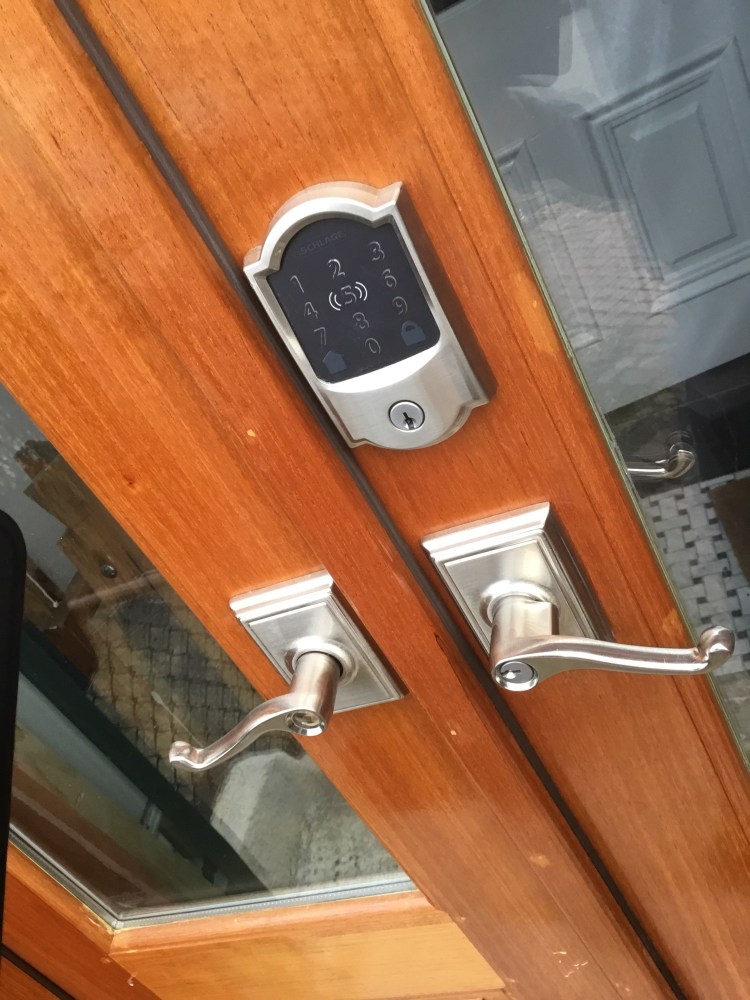
Of all the features in our smart home, having smart locks might actually be the best bang for the buck. I get an incredible amount of utility out of our smart locks. In fact, I haven’t carried a key to the house in several years,. We also use smart locks to grant selective access to a wide array of folks- delivery drivers, cleaning people, even neighbors and family.
Quick Summary: Why Do We Like These So Much?
We chose the Schlage Encode Smart Deadbolt for our house, so some of the features I describe below are unique to that lock. it’s worth noting that I’ve tried locks by 4 other manufacturers. For a variety of reasons, I liked this one the best. Key features:
- easy connect to WiFi, and it stays connected consistently (helps battery life)
- Excellent remote control (open it via my phone when I’m not there)
- Batteries are inside the house, so they stay warm (again, helps battery life)
- Apple HomeKit integration
- Manufactured by a “real” lock company so it’s easily serviced/ rekeyed
- Also, we use the same manufacturer for the other door knob in the house, so it all matches
Simple Installation Process
Let’s dispense with the important stuff first. Installing these locks is pretty simple. If you’re replacing an existing lock, you’ll just need a screwdriver to do they physical installation. Even new doors are typically pre-drilled. (On the off chance your door isn’t pre-drilled, I’m a big fan of the Milwaukee door jig to ensure your holes are perfectly located on the door.)
Once the lock is installed, the only thing left to do is to download the app and connect it. The Schlage app is available on both the Apple and Android stores. It’s pretty intuitive to use. Once the lock is connected to your wifi and accessible via your phone, you’ll be able to follow the simple process to connect it to Apple Homekit if you also want to be able to use your iPhone/ Apple Watch to unlock the door. (See below for more details) Otherwise, you can just set about adding people and assigning codes.
The Use Cases (aka Why Do We Like It?)
I don’t need keys. Like most households, the people who enter and exit our home most frequently are the people who live here (me and my wife). For us, the sheer convenience of never picking up a set of keys is huge. Going out for a bike ride? No need to carry your keys. Wife leaves the house and I’m already gone? Doesn’t matter- I can let myself in. We each have our own unique code, and I’ve chosen one that I’ll always remember (but not so obvious that others might guess it).
Apple Watch / iPhone Integration. As I mentioned before, we’re an iPhone family. The Apple HomeKit integration allows us to use our iDevices to unlock the door. Just tap your Apple iPhone or Apple Watch to the lock and <zzzzziiip> it will automatically unlock. This is a HUGE plus when you have your hands full of groceries. This doesn’t cause any problems working with Google Hub for the rest of the house, either. My Goodnight routine on Google includes automatically locking all of the doors. Sometimes there’s a trade off with different operating systems, but in this case, we seem to have gotten the best of both worlds.
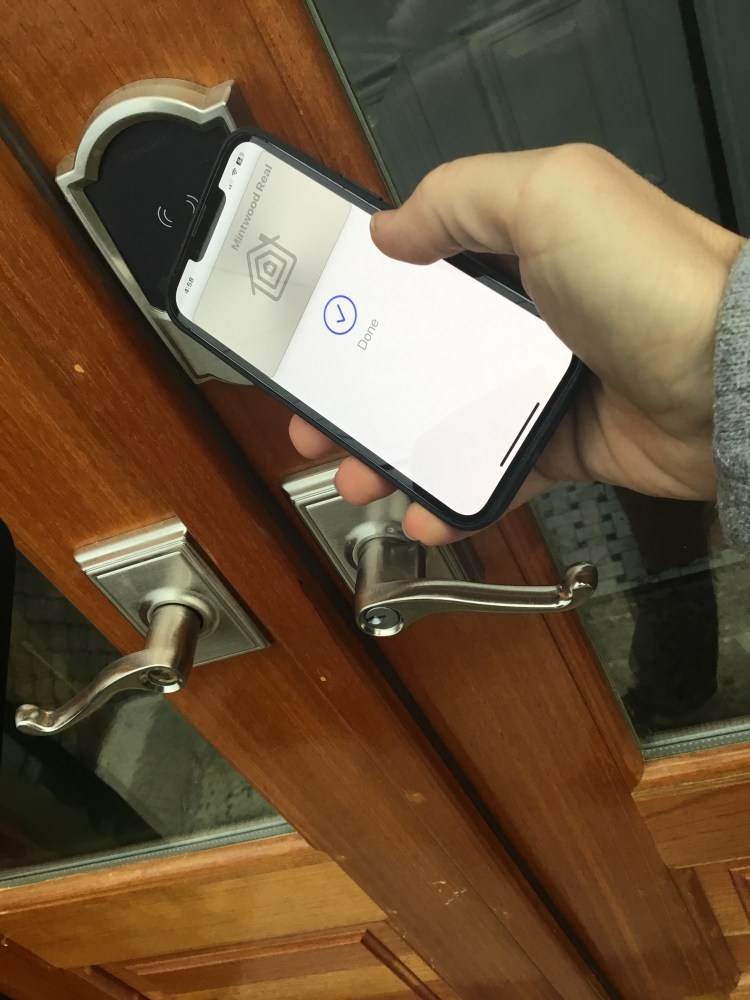
Granting Access to Others. As you have likely learned from prior posts, the door locks come with their own app. First, it is used to connect the locks to the smart home and to configure the Apple HomeKit connection. From there, it is used to manage who can unlock the door, and when. This comes in more handy than one might think. Our house cleaner no longer needs a physical key to get into the house- we simply give them a unique code that is set only to work only on the Tuesday afternoons when they come. Likewise, we have unique codes for Amazon delivery, FedEx, and UPS. They each can access our front door to drop off packages. We have a vestibule, so they won’t be able to get inside the whole house- but we won’t have packages sitting out in front of the house. Codes can be restricted to specific times, by time of day and by day of week. They also can be left on indefinitely, or made to expire at a specific date. Once you get in the groove of granting temporary access, it becomes a huge asset. Our foyer can be used as a drop box, and we can arrange for friends to come and go as needed.
Excellent Support. I mentioned above that we have tried several different locks. Aside from the physical design (batteries inside, etc.), we like that the locks are made by the same company that makes the hardware for our interior doors. This isn’t a deal-breaker- plenty of homes have a different handle on the front door vs. inside the house. In our case, though, there’s a very nice continuity to it all. We also have a number of locks to the outside (double door at the front, an interior vestibule door, and the “back” door from the kitchen. I chose to take all of the locksets to a locksmith before I installed them and had them all rekeyed so that all of the keys are the same. That way, if we have to carry a physical key for some reason, it’s only one key. Bringing the lock to them adds a trip to your day, but it typically costs $10-$20 per lock, vs $80-120 for a house call. With some of the other locks we purchased, it wasn’t as easy to rekey them and there was definitely no option to match other hardware, as they were sometimes specialized “smart home locks”.
Doorbells
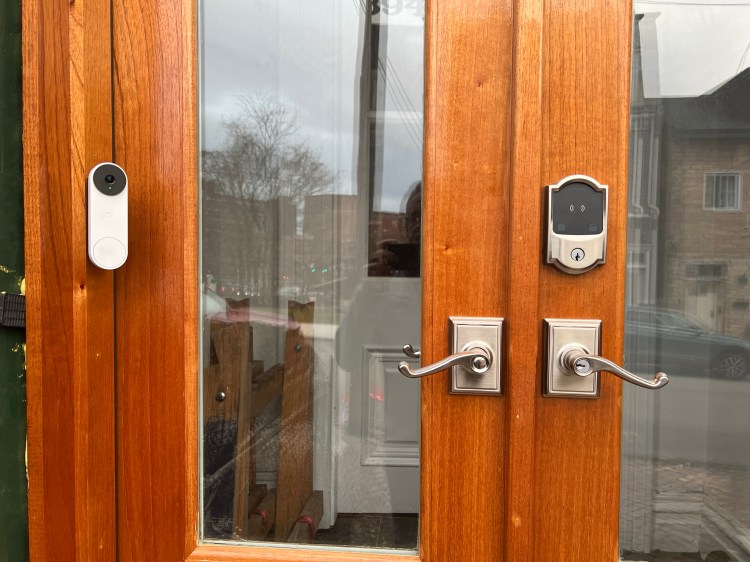
We also decided that we’d like to install a doorbell with a camera. You’ll notice a theme here: we stuck with the Nest Doorbell. Since we already have Nest hubs and Nest thermostats, it makes things simpler to stay within the family. A key benefit is reducing the number of apps I had to navigate, but it also helps that they integrate nicely without drama. We also evaluated Ring/ Alexa, but we didn’t feel like Amazon’s security was as good as Google’s, so here we are.
Installing the Nest Doorbell is easy to do. If you’re buying the Nest wired doorbell, then you’ll just replace your existing wired doorbell following the instructions in the booklet and in the app. If you don’t actually have a doorbell, you can install a wired doorbell kit like this one with relatively little effort. I don’t recommend the wireless Nest Doorbell- particularly in cold climates. The battery life is too short for all but the most determined users. (If you’re wondering how complicated this would be to add a wired doorbell, drop me a note and I may produce a short video on how to do it.). Once we had the doorbell installed, it follows that same pattern of ading it to the smart home app.
Having a fully integrated doorbell and hub system is very convenient. My wife particularly likes that the smarthubs show her who is at the door without having to get up and go answer it. Ironically, just as I was drafting this post, a sales rep from the local phone company came by, but I was able to speak to the hub and politely decline his generous offer, all without leaving the comfort of my desk on the second floor. To take it up a notch- I’ve been away from home, but gotten a phone call from a delivery person. I was able to look at the doorbell cam era on my phone and confirm it was legitimate, and then used my phone to let him into the vestibule to drop off a package.
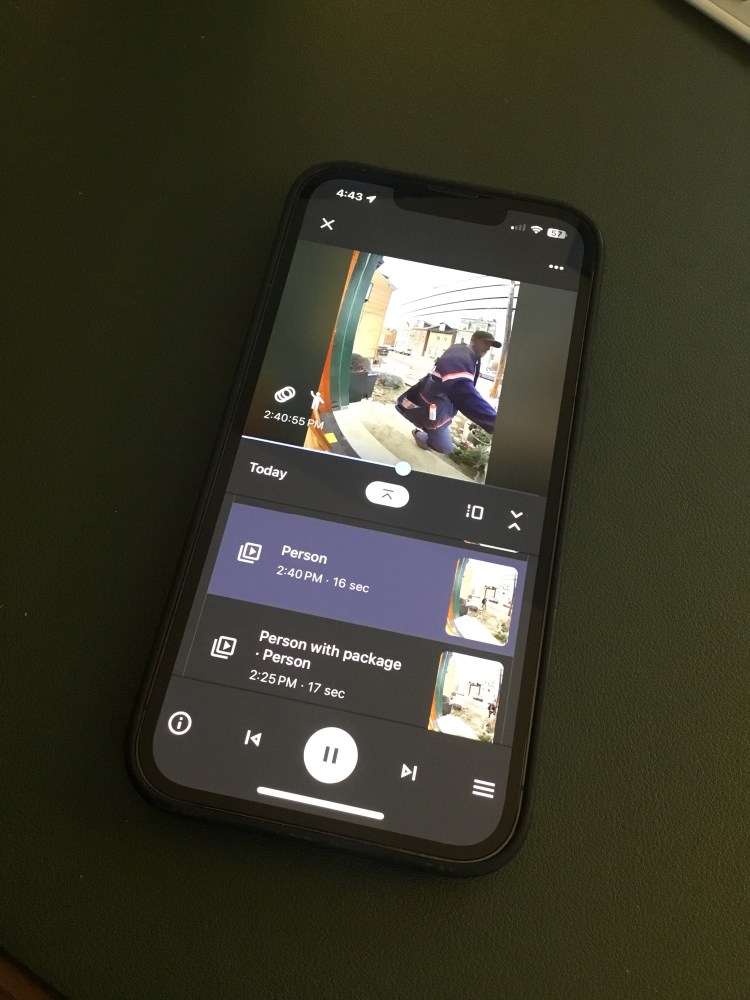
There are plenty of nice little bells and whistles in the doorbell app. For example, the app records each person who comes to the door, but it can also be taught to ignore familiar faces or animals. You can also select what portions of the image it will scan, so you can exclude the public sidewalk and only get alerts when someone comes closer to the house. There’s a subscription fee if you want to retain recordings for any period of time, but we haven’t seen that as a valuable service yet, so we aren’t using that feature much.
 Entropy Properties LLC